Flagged
Scan a food label and see if it has any ingredients you're trying to avoid. Even the sneaky names manufacturers use to hide them.

The problem: Barcode apps rely on databases that aren't always up to date
Barcode apps can show you an old recipe
A barcode app looks the product up in a database. When a company changes its recipe, it often keeps the same barcode, and the database isn't always updated. So the app can show you ingredients that are no longer right.
Flagged reads the ingredient list printed on the package, which by law has to match what's in the food. So you're never checking outdated information.
Many foods aren't in the database at all
Deli, bakery and imported items with store-printed labels often aren't in barcode databases, so barcode scanners have nothing to show you.
Flagged doesn't need a database. If the package has an ingredient list in English, Flagged can scan it.
Ingredients hide behind confusing names
Peanut can be listed as arachis oil. Red 40 can be listed as allura red. Manufacturers use dozens of names you'd never recognize.
Flagged knows 592 ingredient names, including arachis oil and allura red, so you don't have to.
Everyone at home avoids something different
Remembering which ingredients matter for each person in your family shouldn't be your full-time job.
Flagged keeps a profile for each person. With one tap, a single scan checks the label for every profile.
How it works: From profile to results in 3 steps
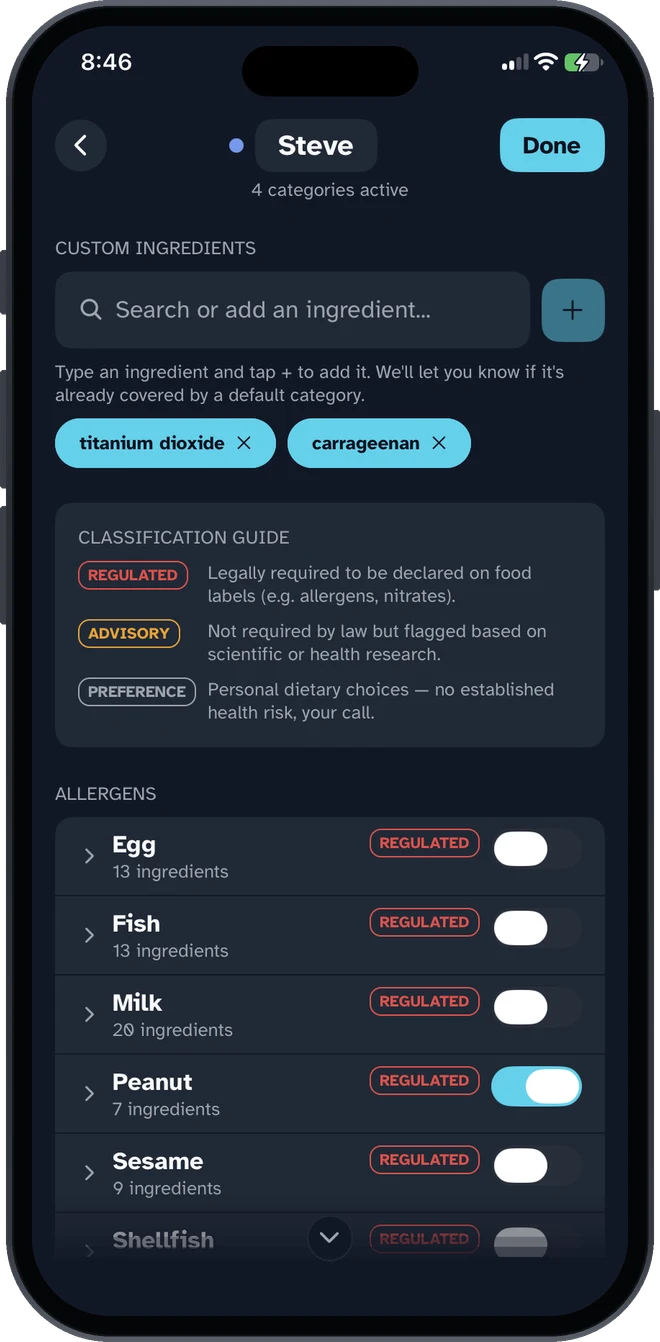
Create a profile
Make up to 8 profiles and select the ingredients each person wants to avoid.
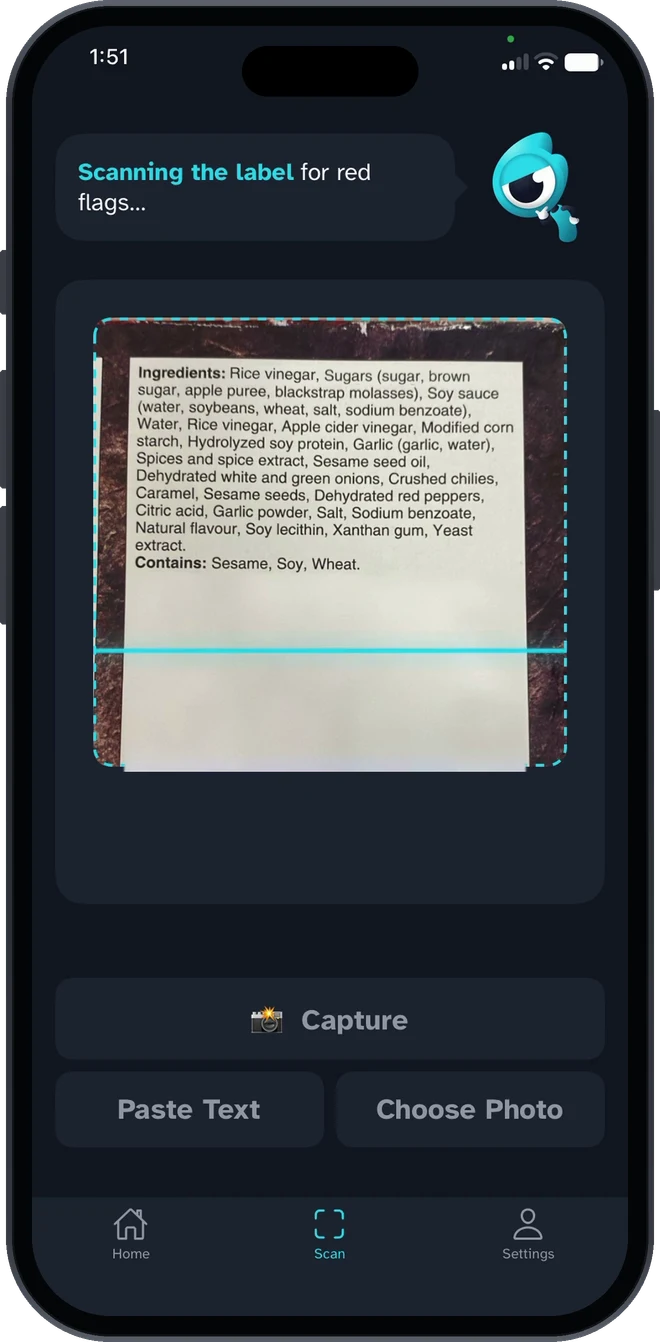
Scan an ingredient list
Works on any English-printed food label in the U.S., Canada, and the UK.
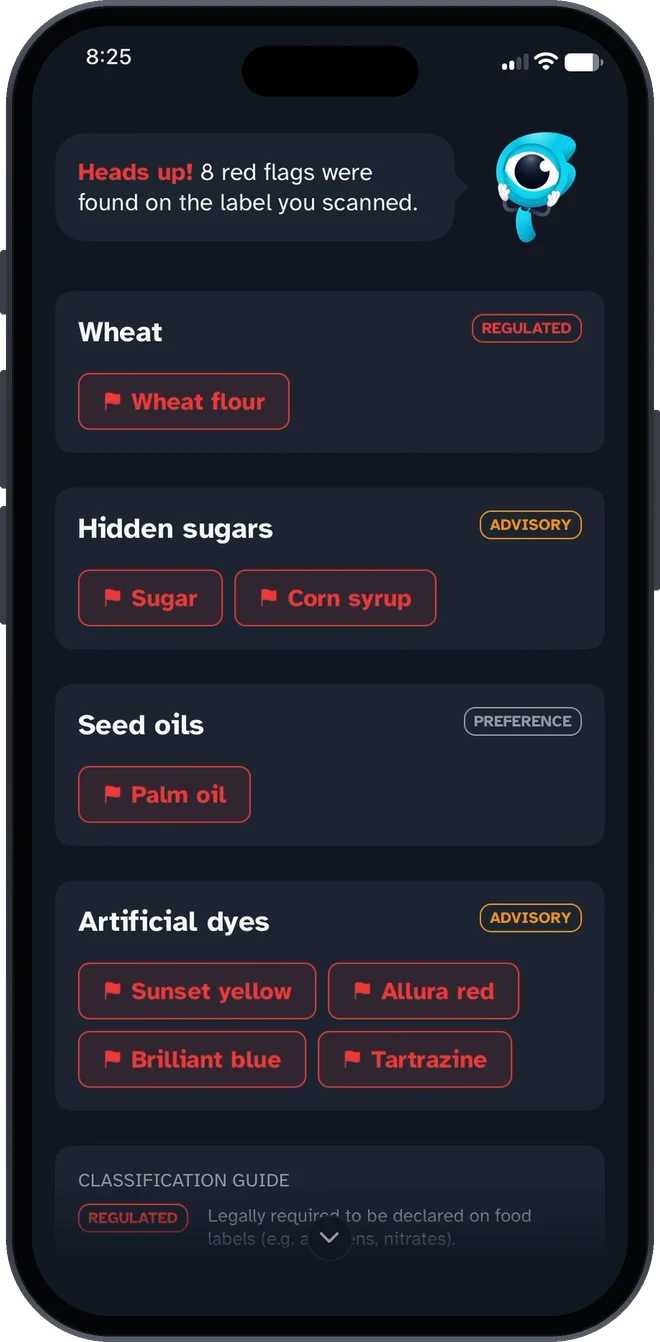
See your results
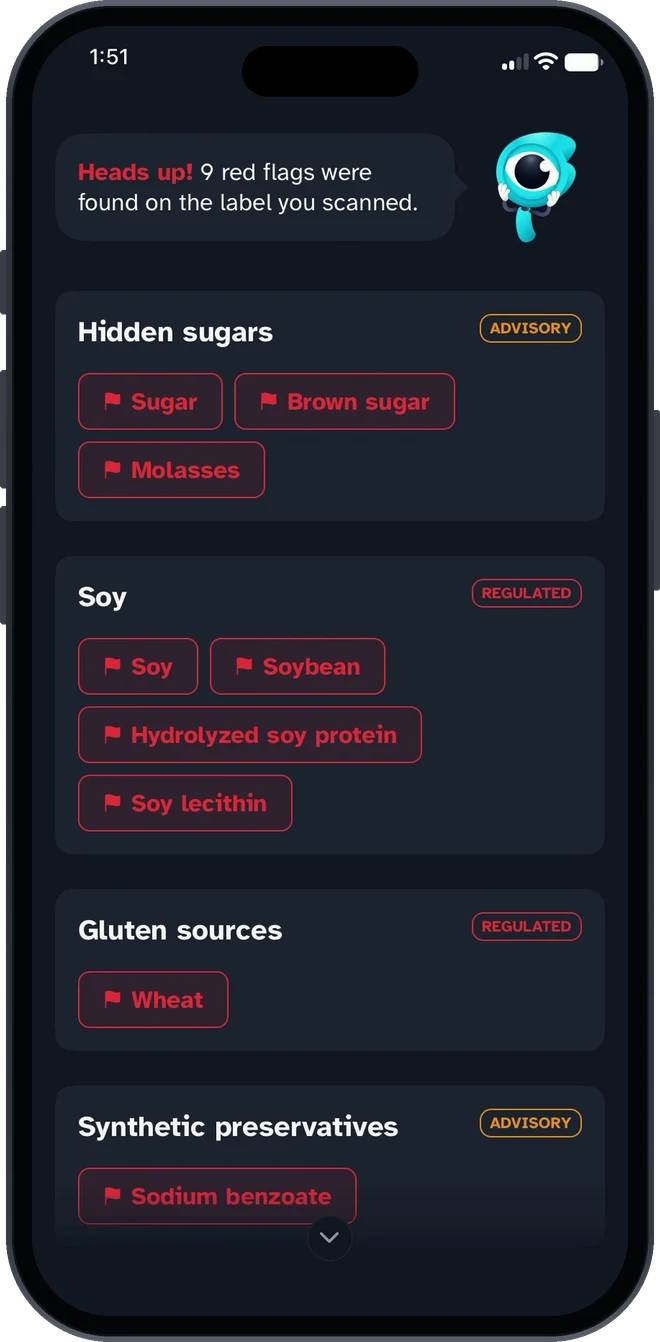
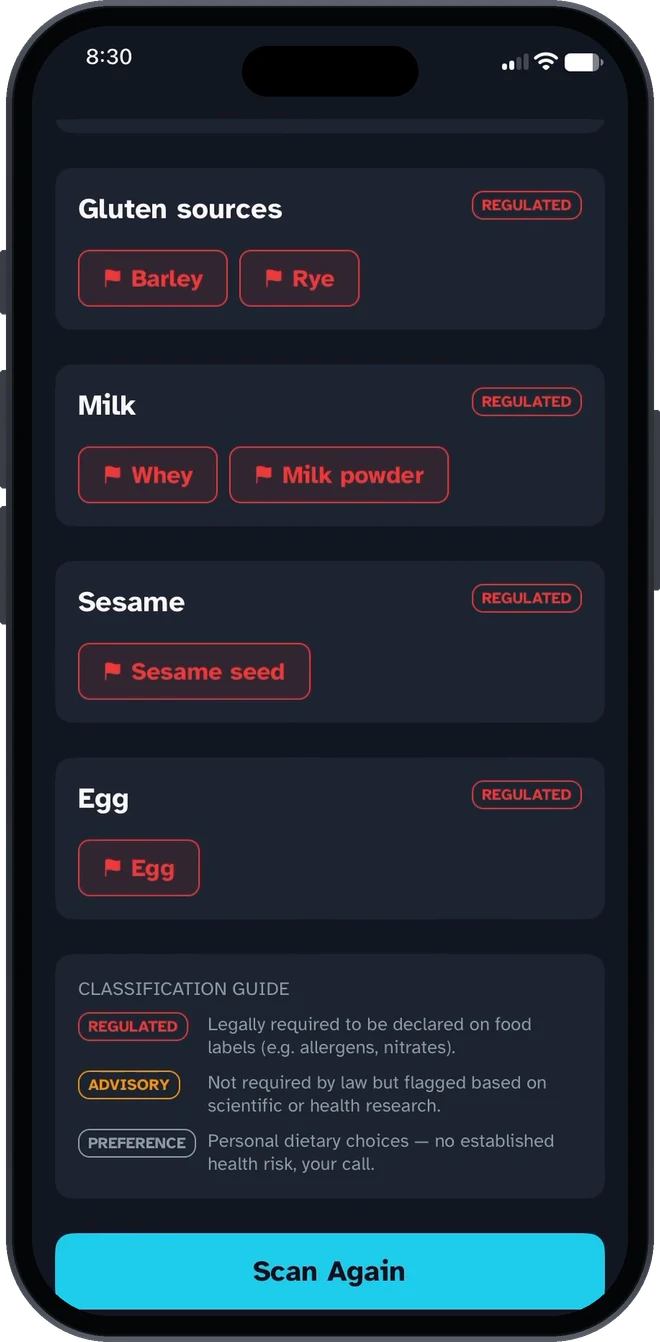
Flagged shows you every ingredient in that list that you're trying to avoid.
Features: You choose what Flagged looks for
Whether you're gluten free, dairy free, avoiding dyes or seed oils, or managing a food allergy, switch on what matters to you.
23 categories, 592 ingredient names
Switch on a whole category, or open it and switch single ingredients on or off.
Add your own ingredients
Avoiding something unusual? Type it in, and Flagged will look for it in every scan.
A profile for everyone
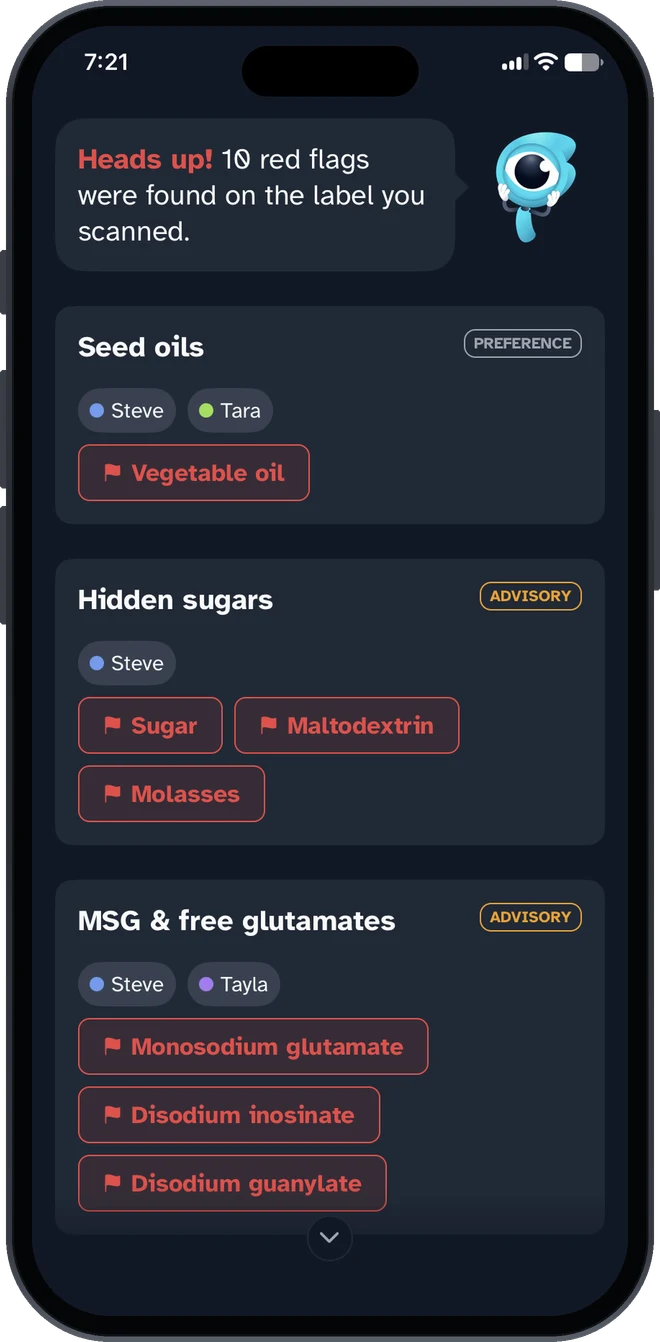
Each person in your house gets their own set of ingredients to avoid. Tap someone's name before you scan, and Flagged checks the label for them.
Scan for everyone at once
All profiles are checked at the same time with one scan of the ingredient list.
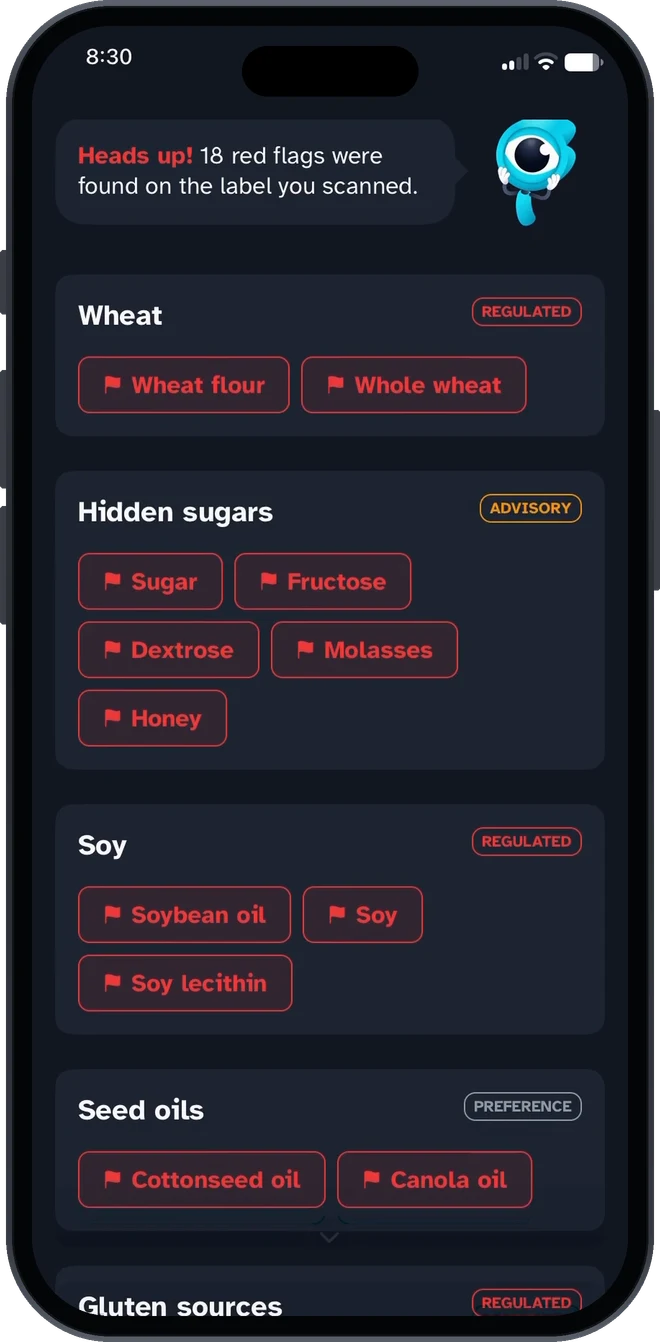
Your results: What you see after every scan
What people are saying
I am always reading labels to see if gluten is hidden in the ingredients. This flagged the item I was scanning saving me from getting sick. Well worth it.
This app has gotten me through the grocery isles in less time and has flagged some items for a closer look. Very helpful in keeping my family healthy!
A very intuitive food label scanner to find out allergy inducing food ingredients and lot more!
Common questions
Does Flagged need Wi‑Fi or a signal to work?
No. Everything Flagged needs is on your phone, so it works without Wi‑Fi or a cell signal.
Can it check a label for more than one person?
Yes. Make a profile for each person, up to 8, and one scan checks the label for all of them at once.
Can I add an ingredient that isn't on the list?
Yes, as many as you like. Type it into the custom ingredients field, and Flagged includes it in every scan.
Is there a free trial?
Yes. The yearly plan starts with a 7-day free trial with unlimited scans.
Can I get a reminder when my free trial is about to end?
Yes. During onboarding, turn on your notifications. You'll get a reminder 2 days before your trial ends.
How do I cancel a subscription?
Apple handles your subscription, so you can cancel anytime in your iPhone's subscription settings, the same way you'd cancel any other app.
Do I need to create an account?
No. There's no sign-up and no email to give. Open the app and start scanning.
Does Flagged tell me if a food is safe?
No. Flagged doesn't tell you what you can or can't eat. It shows you the ingredients on the label that you're trying to avoid, and you make up your own mind.
Does Flagged give foods a health score?
No. Flagged doesn't judge foods as good or bad. It only tells you if the label has an ingredient you're trying to avoid.
Does Flagged work outside the U.S., Canada and the UK?
Not yet. Flagged is only available in the U.S., Canada and the UK for now.

Flagged
Food Label Scanner
Download on the App Store